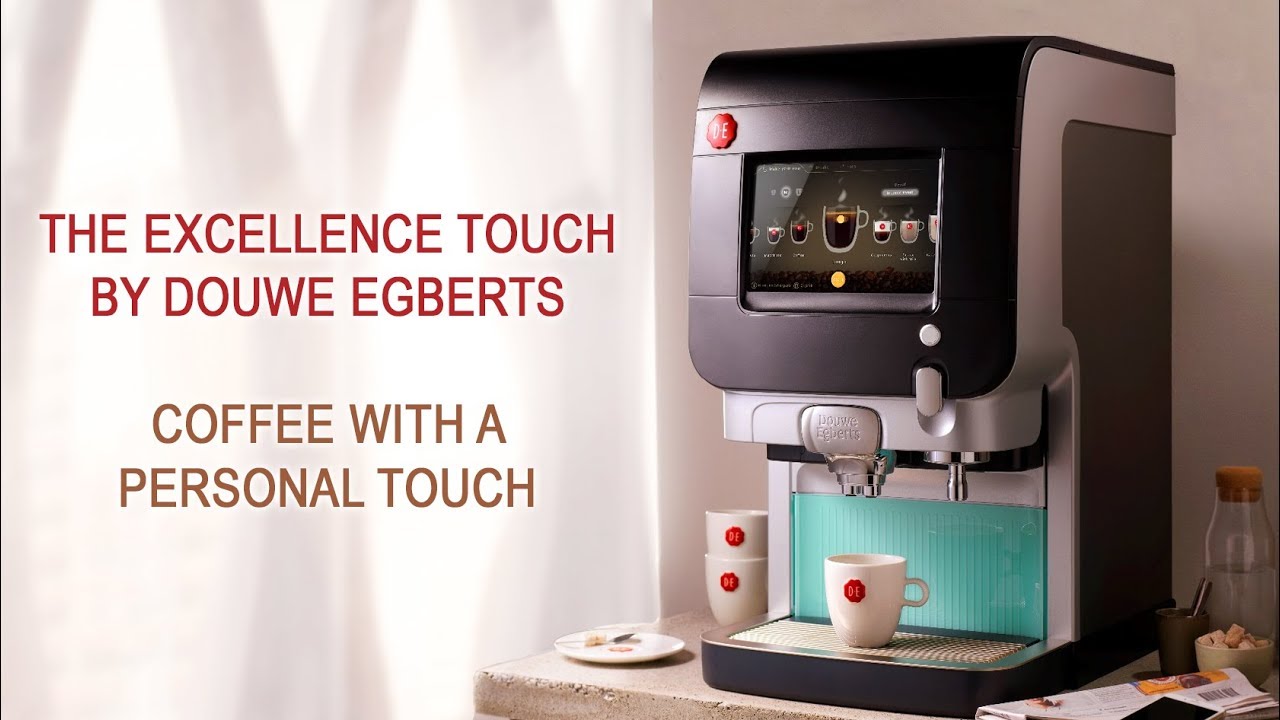
An Excellence coffee machine usually refers to a commercial bean-to-cup or hot-drink vending machine sold under the “Excellence” name. In the United States, the exact features can vary by brand, model, and distributor. Some versions make espresso from whole beans, while others use instant coffee, powdered milk, or a mix of drink systems.
The best choice depends on where the machine will operate, how many drinks it must serve, what beverages customers want, and how much cleaning staff can handle. Before buying parts or following a service guide, find the machine’s full model name and serial number.
What Is an Excellence Coffee Machine?
An Excellence coffee machine is a self-service or staff-operated commercial drink machine designed to prepare coffee with limited manual work. Depending on the model, it may grind coffee beans, brew espresso, dispense hot water, mix milk powder, or serve drinks from soluble ingredients.
The name alone does not identify one universal machine. “Excellence” may describe different commercial coffee systems sold in different markets. The internal parts, drink menus, water connections, software, and cleaning steps may not be the same.
Common machine types
Most Excellence machines fit into one of these categories:
| Machine type | Main coffee ingredient | Typical use | Main advantage | Main trade-off |
|---|---|---|---|---|
| Bean-to-cup | Whole coffee beans | Offices, hotels, cafés, dealerships | Fresh grinding and brewing | More parts to clean |
| Instant or soluble | Powdered coffee | High-volume self-service areas | Fast and simple operation | Different taste and texture |
| Hybrid | Beans plus powdered milk or chocolate | Offices and public venues | Broad drink menu | More ingredient controls |
| Espresso-based | Ground or freshly ground coffee | Cafés and food service | Strong espresso drinks | Needs closer setup and care |
A bean-to-cup system normally moves beans from a hopper to a grinder. The ground coffee then enters a brew unit, where hot water passes through it. The machine may add milk, chocolate, or flavor ingredients after brewing.
An instant system mixes hot water with powdered ingredients. It does not grind or brew coffee in the same way. This distinction affects flavor, maintenance, operating cost, and the parts you need to replace.
How an Excellence Coffee Machine Works
An Excellence coffee machine follows a set path from user selection to finished drink. Understanding that path makes troubleshooting easier.
1. The user selects a drink
The control panel may use physical buttons, a touch screen, or a payment interface. The selection tells the machine which recipe to run.
A recipe can control:
- Coffee dose
- Grind setting
- Water volume
- Brewing time
- Milk or creamer amount
- Chocolate or flavor dose
- Cup size
- Rinse behavior
- Temperature limits
A drink that tastes weak may have a recipe issue, a grinder issue, or an ingredient issue. The screen alone may not show the cause.
2. The machine prepares coffee or soluble ingredients
In a bean-to-cup model, the grinder breaks whole beans into smaller particles. The brew unit compresses the grounds and forces hot water through them.
In a soluble model, an auger or dosing system moves powder into a mixing bowl. Hot water then blends the powder into the drink.
3. The drink passes through the outlet
the machine directs coffee, milk, or chocolate through separate tubes or a shared outlet. Some models rinse these paths after use. Others require the operator to start a cleaning cycle.
A blocked outlet can affect only one drink, while a water, pump, or heating fault may affect the entire menu.
4. The system records use and alerts
Commercial machines may track drink counts, ingredient levels, cleaning tasks, temperature faults, and payment events. The exact information depends on the model and software.
Treat an alert as a starting point, not a diagnosis. Read the manual for the exact code before opening panels or removing parts.
Choosing the Right Excellence Coffee Machine
The right machine is the one that fits your service pattern. A large, complex unit may be wasteful in a small office. A small unit may struggle in a busy hotel lobby.
Start with drink volume
Estimate the number of drinks per day, not the number of people who could use the machine.
For example, if 40 employees each buy one drink on two workdays per week, the average daily use is:
40 × 2 ÷ 5 = 16 drinks per workday
Add busy-day demand. A machine that serves 16 drinks on an average day may need to handle 30 or more drinks during meetings or events.
Ask the seller for the machine’s documented recommended capacity. Do not confuse a maximum technical output with a suitable daily workload. A machine may produce many drinks in a short period but still need frequent refilling or cleaning.
Check the drink menu
Choose the ingredient system based on the drinks people actually want.
A coffee machine may support some or all of these:
- Black coffee
- Espresso
- Americano
- Cappuccino
- Café latte
- Mocha
- Hot chocolate
- Hot water
- Decaf coffee
Whole-bean systems may offer better control over espresso quality. Soluble systems may offer a wider menu with less mechanical complexity. Milk systems add convenience but also increase cleaning needs.
Review power and water needs
Before installation, confirm:
- Voltage and frequency
- Amperage
- Plug type
- Dedicated circuit requirements
- Water inlet size
- Water pressure range
- Drain requirements
- Counter depth and height
- Ventilation space
- Cup and waste-bin clearance
Do not assume a machine sold overseas will work on a standard U.S. outlet. A plug adapter does not change voltage or electrical load. A licensed electrician or qualified installer should assess the site when the machine has unusual power needs.
Decide between plumbed and tank-fed water
A plumbed machine connects to a water line. This reduces manual filling but requires suitable plumbing, filtration, and installation.
A tank-fed machine uses a refillable reservoir. It can work in locations without a nearby water line, but staff must monitor the tank and carry out more frequent refills.
Water quality matters in both cases. Hard water can create scale inside heaters, valves, and pipes. Use the filtration method specified by the manufacturer or service provider.
Compare ownership costs
The purchase price is only one part of the cost. A simple estimate is:
Total operating cost = machine cost + installation + ingredients + filters + cleaning supplies + repairs
For each drink, you can estimate ingredient cost with:
Ingredient cost per drink = total ingredient cost ÷ drinks served
This does not include labor, electricity, payment fees, rent, or downtime. Ask for a written service quote that explains call-out fees, response time, warranty terms, and replacement-part coverage.

Excellence Coffee Machine Setup: A Safe Start
Correct setup protects the machine and helps prevent poor-tasting drinks. Use the model’s installation manual as the final authority because connection requirements differ.
Before switching it on
Check that:
- The machine is on a stable, level surface.
- The surrounding space allows doors and panels to open.
- The electrical supply matches the data plate.
- The water connection meets the stated requirements.
- The waste container and drip tray are correctly fitted.
- The correct filter is installed if the manual requires one.
- The bean, powder, milk, and cup areas are clean and dry.
- The machine has reached its required operating temperature.
Never bypass a door switch, fuse, interlock, or safety sensor. These parts help prevent injury and equipment damage.
Load ingredients correctly
Use ingredients approved for the specific machine. Coffee beans with too much oil may affect some grinders. Powdered milk or chocolate can absorb moisture and form clumps. Store ingredients in sealed containers and follow the supplier’s storage instructions.
Do not fill a hopper above its marked line. Keep different ingredients in their assigned containers. A misplaced ingredient can damage the dosing system or create an allergen-control problem.
Calibrate the first drinks
The first drinks may need adjustment. Check:
- Coffee strength
- Water volume
- Drink temperature
- Milk texture
- Foam level
- Flow speed
- Cup fill level
Make one change at a time. If you change the grind, dose, water volume, and temperature at once, you will not know which change helped.
Confirm the user experience
Run every main menu item before opening the machine to customers. Check for:
- Correct drink names
- Correct prices
- Clear screen prompts
- Reliable payment
- Correct cup size
- No spills
- No unusual noise
- Proper waste disposal
Keep a record of the initial settings. This gives staff a useful baseline after maintenance or recipe changes.
Daily and Weekly Cleaning
Cleaning is part of coffee quality, equipment care, and food safety. The exact routine depends on the machine and ingredients, so follow the manufacturer’s manual and your local food-service rules.
Daily tasks
A typical daily routine may include:
- Emptying and washing the drip tray
- Emptying the waste container
- Wiping the dispensing area
- Cleaning the cup area
- Checking the ingredient hoppers
- Running the approved rinse cycle
- Cleaning milk lines or mixing bowls
- Wiping touch screens and external surfaces
- Checking for leaks or unusual residue
Milk systems often need special attention. Warm milk residue can build up quickly and may create hygiene risks. Use only the cleaning chemical and concentration listed for that machine.
Weekly or scheduled tasks
Depending on use, the machine may need:
- Brew-unit cleaning
- Grinder inspection
- Mixing-bowl cleaning
- Outlet removal and washing
- Filter inspection
- Descaling
- Seal and hose checks
- Waste chute cleaning
- Ingredient-container cleaning
Do not descale on a fixed schedule without considering water hardness and the manufacturer’s instructions. Too little descaling can cause scale. Unnecessary descaling can stress some components.
Keep a service log
A simple log should record:
- Date and time
- Cleaning task
- Person who completed it
- Chemical used
- Filter change
- Descaling
- Fault codes
- Parts replaced
- Drink count, if available
A log helps reveal patterns. For example, a recurring “low water” warning after a filter change may point to an installation or flow problem rather than a normal refill need.
Excellence Coffee Machine Troubleshooting
Start with safe, simple checks. Do not remove electrical covers or work on pressurized systems unless you are trained and authorized to do so.
The machine will not turn on
Possible causes include:
- No power at the outlet
- A tripped breaker
- Loose power connection
- Main switch in the wrong position
- Internal safety fault
- Failed fuse or control component
First, confirm that other equipment works at the outlet. Check the machine’s visible power switch and plug. If the breaker trips again, stop resetting it and contact a qualified technician.
The machine shows “add water”
Check the water tank, water line, inlet valve, and filter. A full tank does not always mean the machine can detect water. The level sensor may be dirty or the filter may restrict flow.
For a plumbed unit, confirm that the shutoff valve is open. Do not disconnect a water line while it is pressurized.
Coffee tastes weak
Possible causes include:
- Too little coffee dose
- Coarse grind
- Low-quality or stale beans
- Excess water
- Incorrect recipe
- Blocked brew path
- Grinder wear
- Poor sealing in the brew unit
Test one variable at a time. If the machine uses beans, check whether the grinder is feeding a normal dose. If the machine uses powder, inspect the powder for clumps and moisture.
Coffee tastes bitter or burnt
Possible causes include:
- Water temperature set too high
- Too fine a grind
- Excessive brew time
- Dirty brew parts
- Old coffee residue
- Beans that are dark roasted or stale
Clean the brew path first. Then review the recipe and grind. Do not change temperature settings beyond the manufacturer’s permitted range.
Milk or foam does not dispense
Check the milk container, tube, air inlet, and cleaning status. A blocked milk tube can stop flow even when the container is full.
If the system uses powdered milk, check for damp powder or a blocked dosing auger. If the milk system has not passed its required cleaning cycle, stop serving milk drinks until it is cleaned according to the manual.
The machine leaks
Stop using the machine if water reaches electrical parts, pools under the unit, or comes from a pressurized connection. Common causes include:
- Full drip tray
- Loose drain tube
- Damaged seal
- Cracked hose
- Blocked outlet
- Overflowing mixing bowl
- Internal valve fault
Dry only accessible external areas. Do not open the machine while it is powered or connected to water.
The grinder is unusually loud
Stop the grinder if it makes a sharp metallic sound, jams, or smells hot. Foreign objects, stones in beans, worn burrs, or a drive problem may be responsible.
Do not force the grinder with tools unless the service manual gives a safe procedure for that model. A technician may need to remove and inspect the burrs.
Water Filtration and Coffee Quality
Water affects both flavor and machine life. Minerals can form scale, while chlorine or other treatment compounds can affect taste.
Use a filter that matches the machine’s specifications and the site’s water conditions. A filter is not a universal cure. It must be replaced at the correct interval, and the water system must still be tested when scale or taste problems continue.
Keep records of:
- Filter type
- Installation date
- Replacement date
- Water test results, if available
- Descaling history
A machine that suddenly produces slower drinks, noisy heating, or frequent temperature errors may have scale or restricted water flow. These symptoms need service if a normal cleaning cycle does not correct them.
Buying Used or Refurbished
A used Excellence coffee machine can reduce the initial cost, but the model’s service history matters more than its appearance.
Before buying, request:
- Full model number
- Serial number
- Manufacturing date, if available
- Service records
- Cleaning records
- Last filter change
- Last descaling
- Drink counter reading
- Error history
- Included accessories
- Proof that replacement parts remain available
Ask the seller to demonstrate several drinks, not just one. Watch for leaks, slow filling, grinder noise, poor foam, error messages, and inconsistent cup levels.
Also confirm that the machine can run on your U.S. electrical supply. Imported machines may need different voltage, plumbing fittings, software, payment hardware, or service support.
Excellence Coffee Machine vs. Other Options
The right alternative depends on the main limitation.
| If your priority is… | Consider… | Why |
|---|---|---|
| Fresh espresso flavor | A commercial espresso machine with a trained operator | More control over extraction |
| Low staff involvement | A bean-to-cup machine | Automates grinding and brewing |
| Very high speed | A soluble or high-capacity dispenser | Fewer brewing steps |
| Small office use | A compact automatic machine | Lower space and service demands |
| Specialty milk drinks | A machine with a documented fresh-milk system | Better milk control, with more cleaning |
| Low upfront cost | A used or refurbished unit | Lower purchase cost, higher condition risk |
No system wins in every category. A bean-to-cup machine may produce a more café-like drink than an instant unit, but it can need more cleaning and service. A traditional espresso machine may offer better control but requires training, workflow space, and a grinder.
Common Buying Mistakes
Buying by name alone
“Excellence” is not enough information to identify parts, capacity, or electrical needs. Always record the full model and version.
Ignoring service support
A low purchase price has little value if no U.S. technician can repair the machine. Check parts availability before signing a purchase agreement.
Underestimating cleaning work
Automatic does not mean maintenance-free. Milk, coffee oils, powder, and water minerals all require routine care.
Choosing a machine that is too large
A high-capacity machine may cost more to install and maintain than the drink volume justifies. Match the system to actual demand.
Treating every fault as a software problem
A warning may result from a blocked tube, empty ingredient hopper, failed sensor, or water restriction. Read the code and check physical conditions first.
Using unapproved chemicals or parts
Incorrect cleaner can damage seals or leave unsafe residue. Follow the machine manual and chemical label.
Frequently Asked Questions
Is an Excellence coffee machine good for an office?
It can be a good fit when the office needs self-service drinks and has someone assigned to refill and clean the unit. The best model depends on daily drink volume, menu needs, water access, and service support.
Does an Excellence coffee machine use whole beans?
Some models use whole beans, while others use instant ingredients or a hybrid system. Check the hopper layout and product manual for the exact machine.
How often should an Excellence coffee machine be cleaned?
Basic cleaning is usually needed every day, especially for drink outlets, waste areas, and milk components. Deeper cleaning and descaling follow the manufacturer’s schedule and depend on use and water quality.
Can I install one in a home?
Some compact commercial units may work in a home, but many require commercial power, a water line, drainage, or professional installation. Confirm the electrical and plumbing requirements before purchase.
Why is the machine making watery coffee?
Watery coffee can result from a low dose, coarse grind, excess water, blocked brewing parts, stale ingredients, or an incorrect recipe. Clean the machine, check ingredients, and then test the dose and grind one at a time.
Where can I find the correct manual?
Look for the manufacturer’s official support page, the authorized U.S. distributor, or the service company listed on the machine label. Use the full model number, not only “Excellence.”
Final Recommendation
Treat “Excellence coffee machine” as a model-family name, not a complete product specification. Identify the exact model first, then compare its drink system, capacity, power, water setup, cleaning needs, parts supply, and local service options.
For a U.S. office or small business, the safest buying process is simple: estimate real drink volume, test the full menu, confirm installation requirements, request service terms in writing, and build daily cleaning into the operating plan. A machine that fits the workflow will usually serve better than one chosen only for a low price or a long feature list.